Webplo for iPhone is here
Webplo for iPhone is in the App Store today. If you have a Webplo site, the app is free with your plan: sign in with your email and the six-digit code we send you. No password to remember.

In the App Store, look for this icon: a white W with a teal dot on a dark tile.

Reading this on a computer? Point your phone's camera at this code and it opens the App Store for you.

A tour of the app
Your sites. The app opens on the list of your sites, each with its address and whether it is live or still on trial. Tap one to work on it. If you run more than one business, one sign-in covers all of them, and you can switch from the top of any screen.

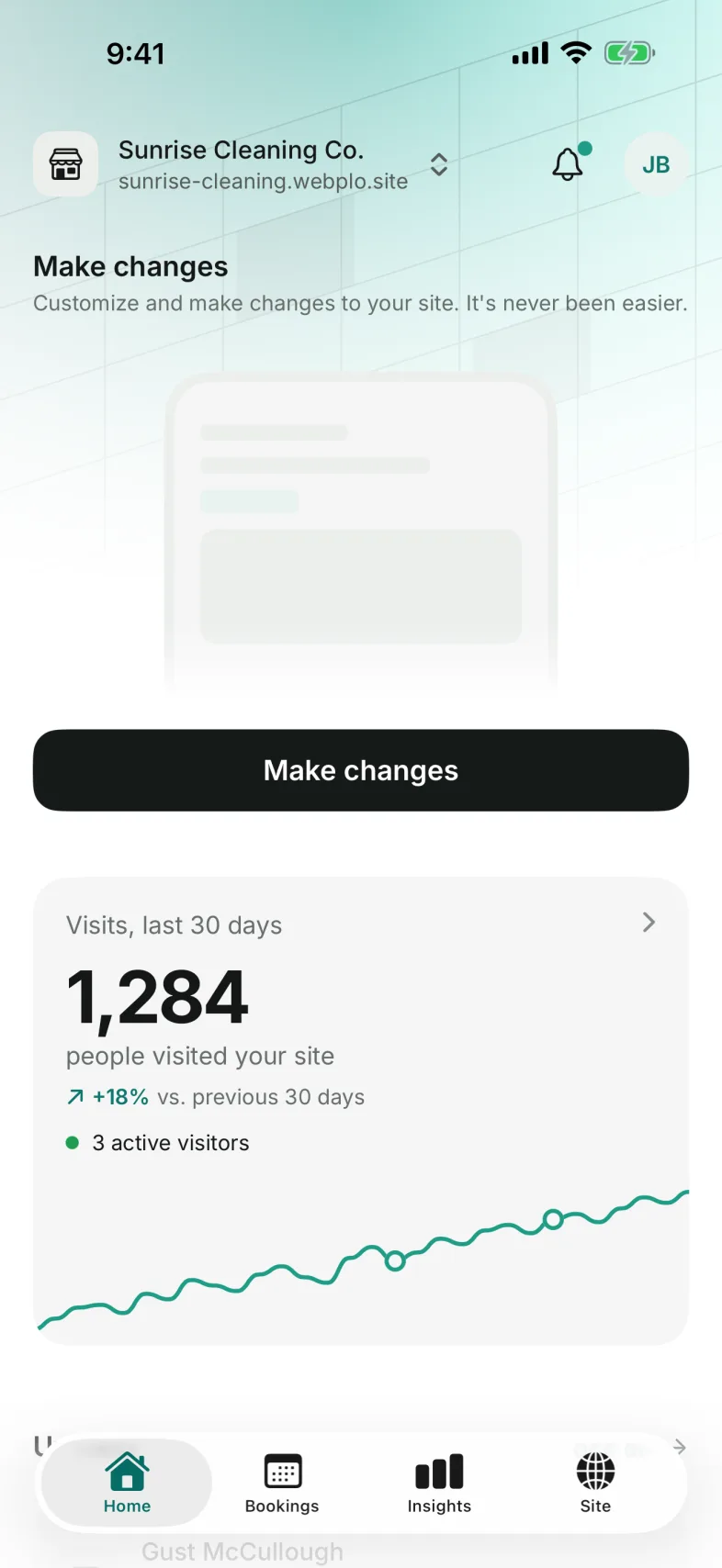
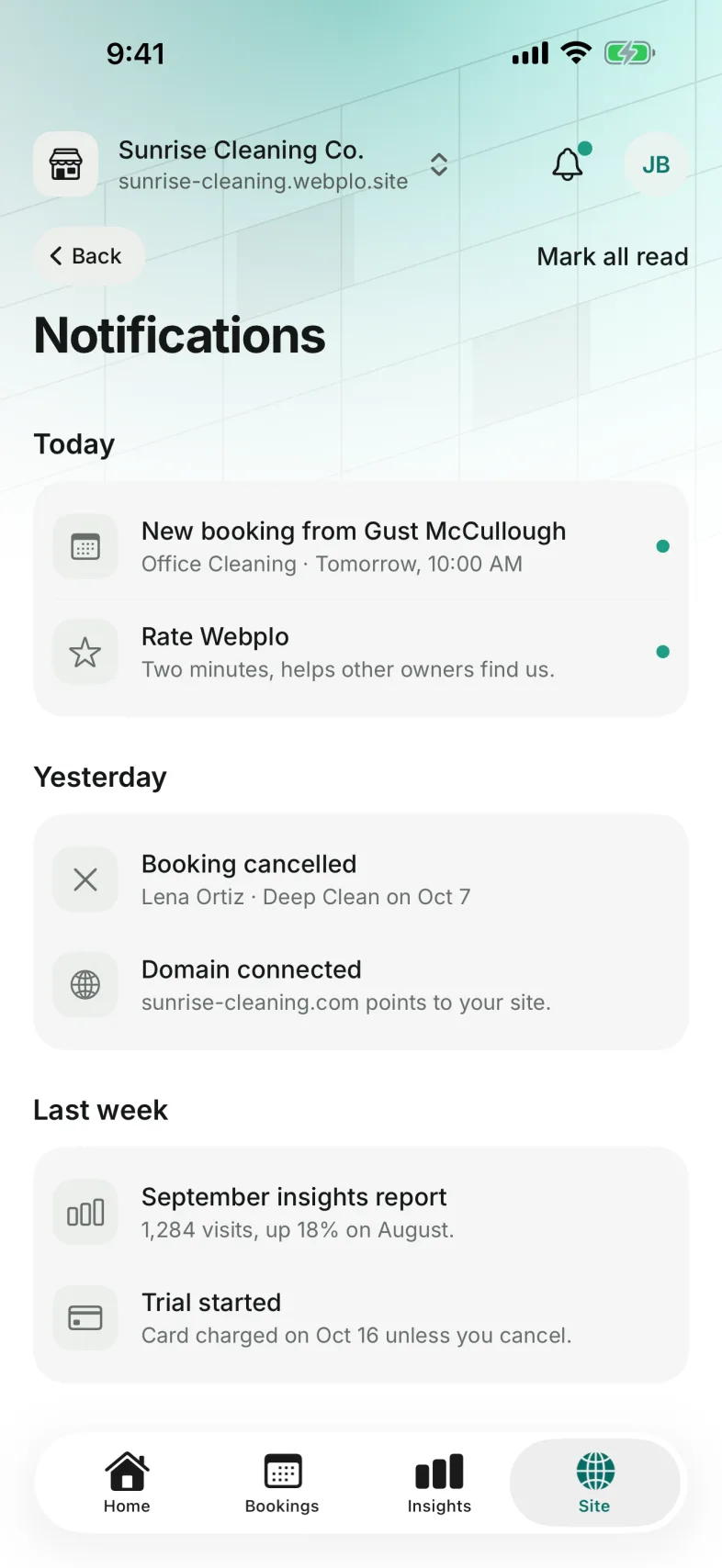
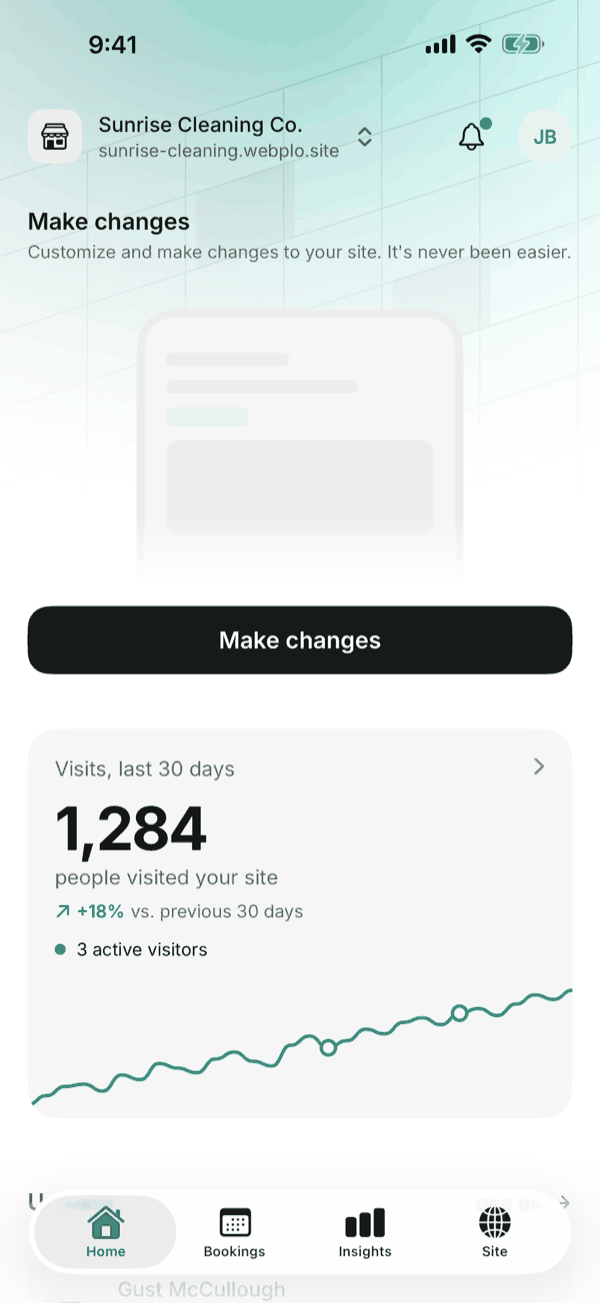
Home. Home is where each site starts, and the bell at the top brings your notifications: a new booking, a cancellation or a change to your domain. The Make changes button opens your site's editor, so you can change a photo, a price or your hours from wherever you are. Under it you see how many people visited in the last 30 days, the bookings coming up next, and the steps still left to get your site ready.
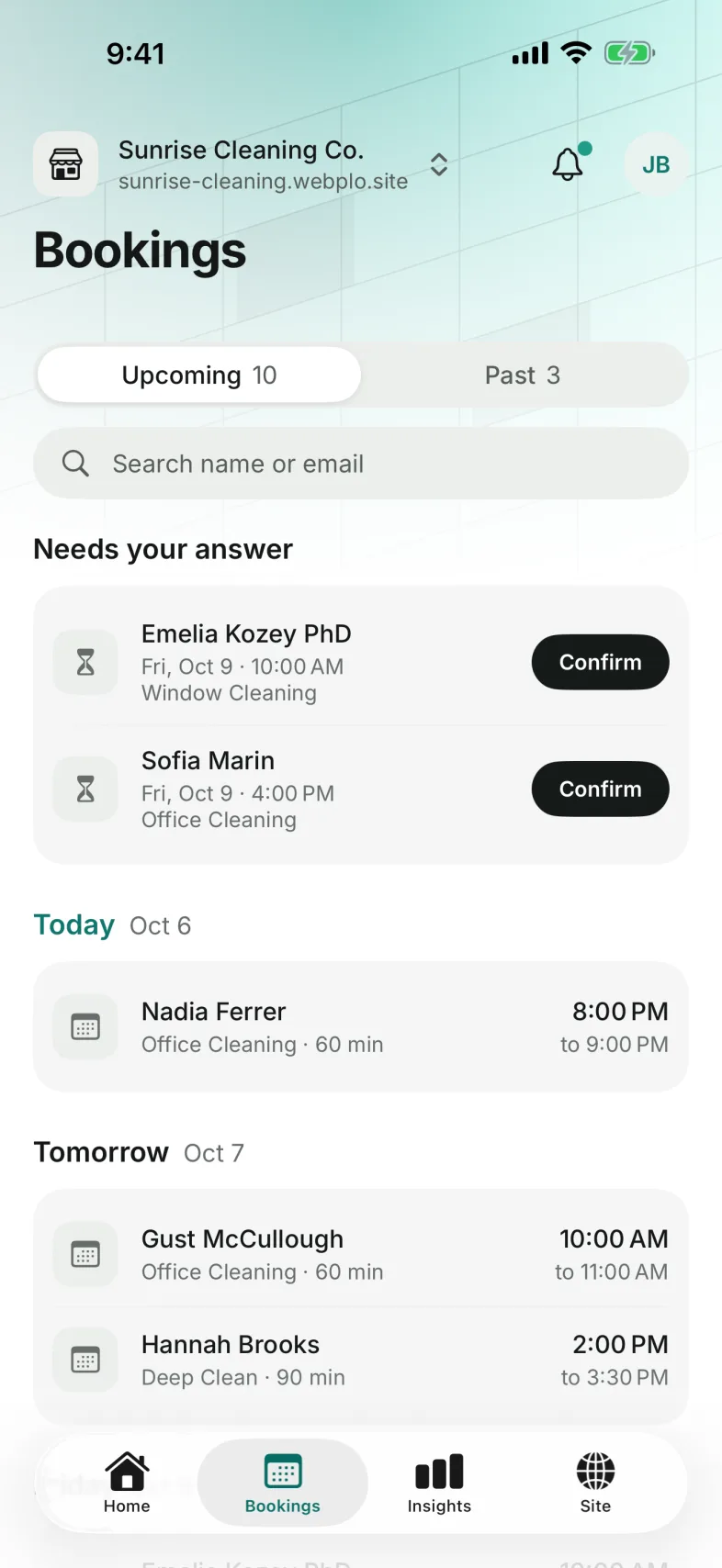
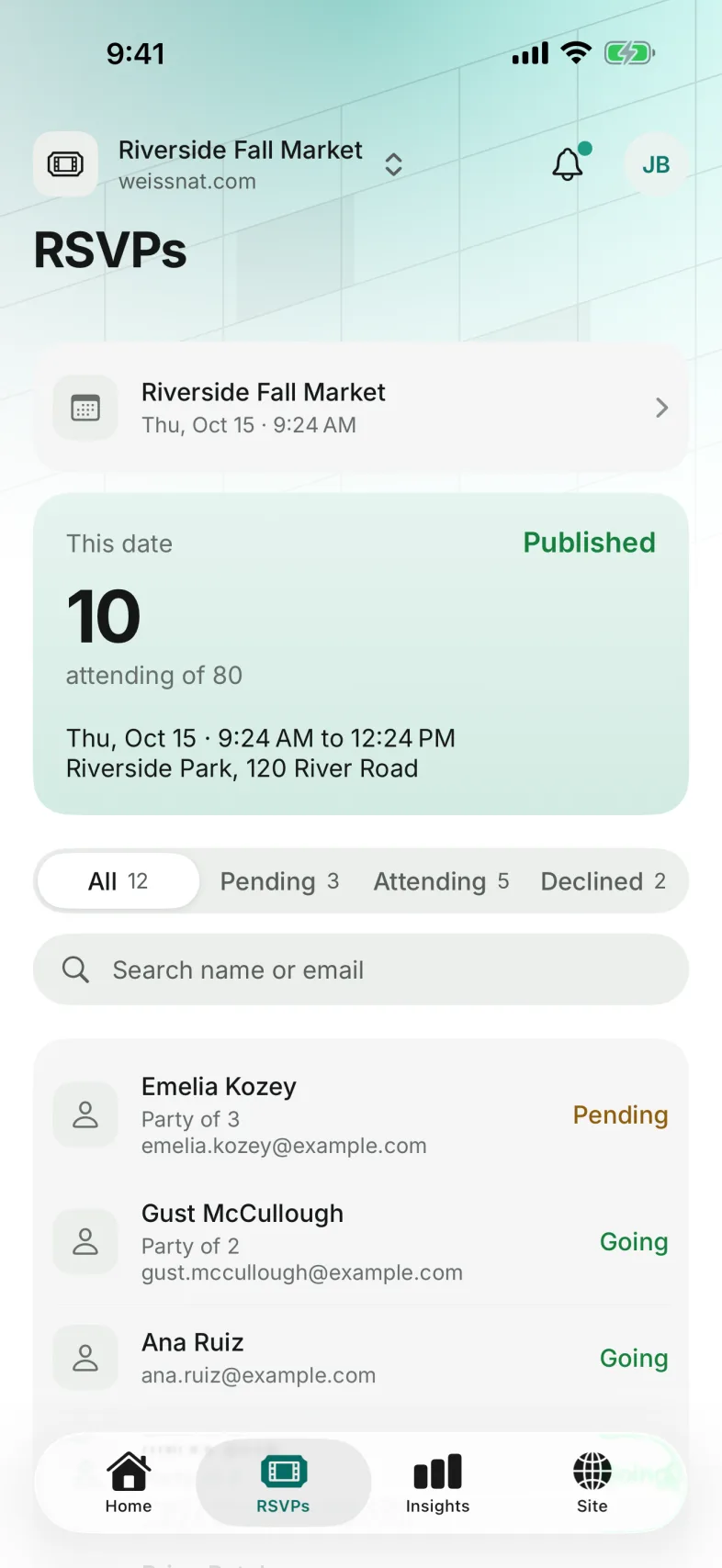
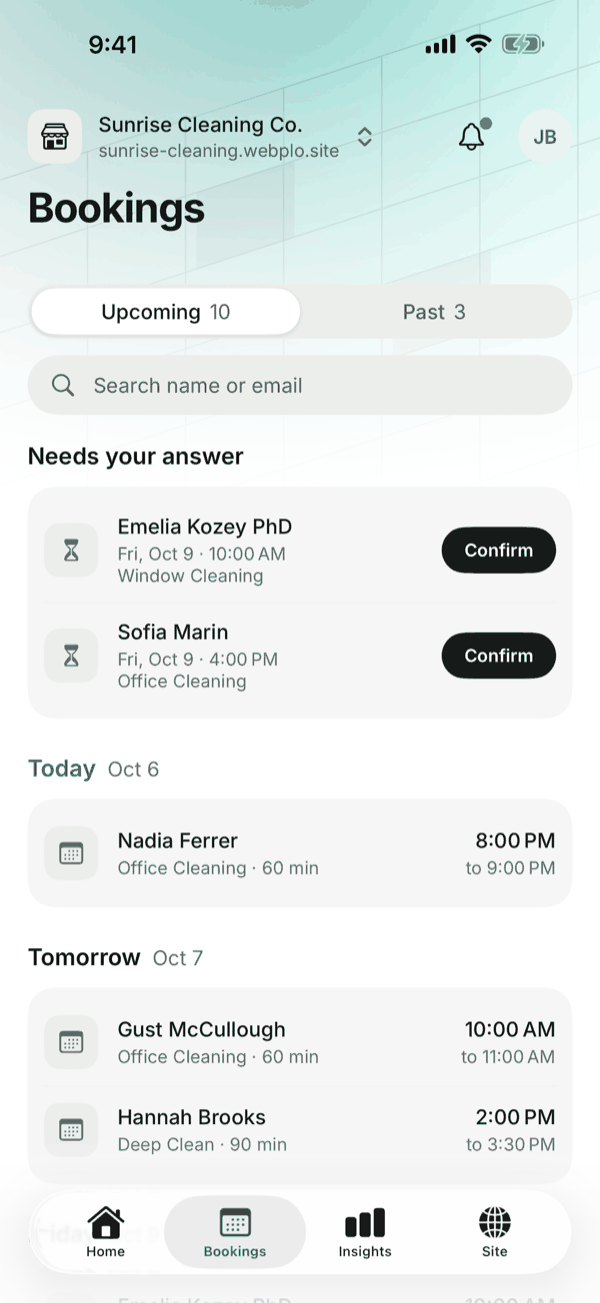
Bookings. Every booking request shows up here. The ones waiting for you sit at the top under "Needs your answer", and one tap confirms them. Below that is your day: today, tomorrow and what comes after, with a search by name or email for when a customer calls. Your services, your opening hours and how much notice you need are set here too. If your site is for an event, the app has an RSVPs tab of its own: who is going, who has not answered, and a way to invite a guest.
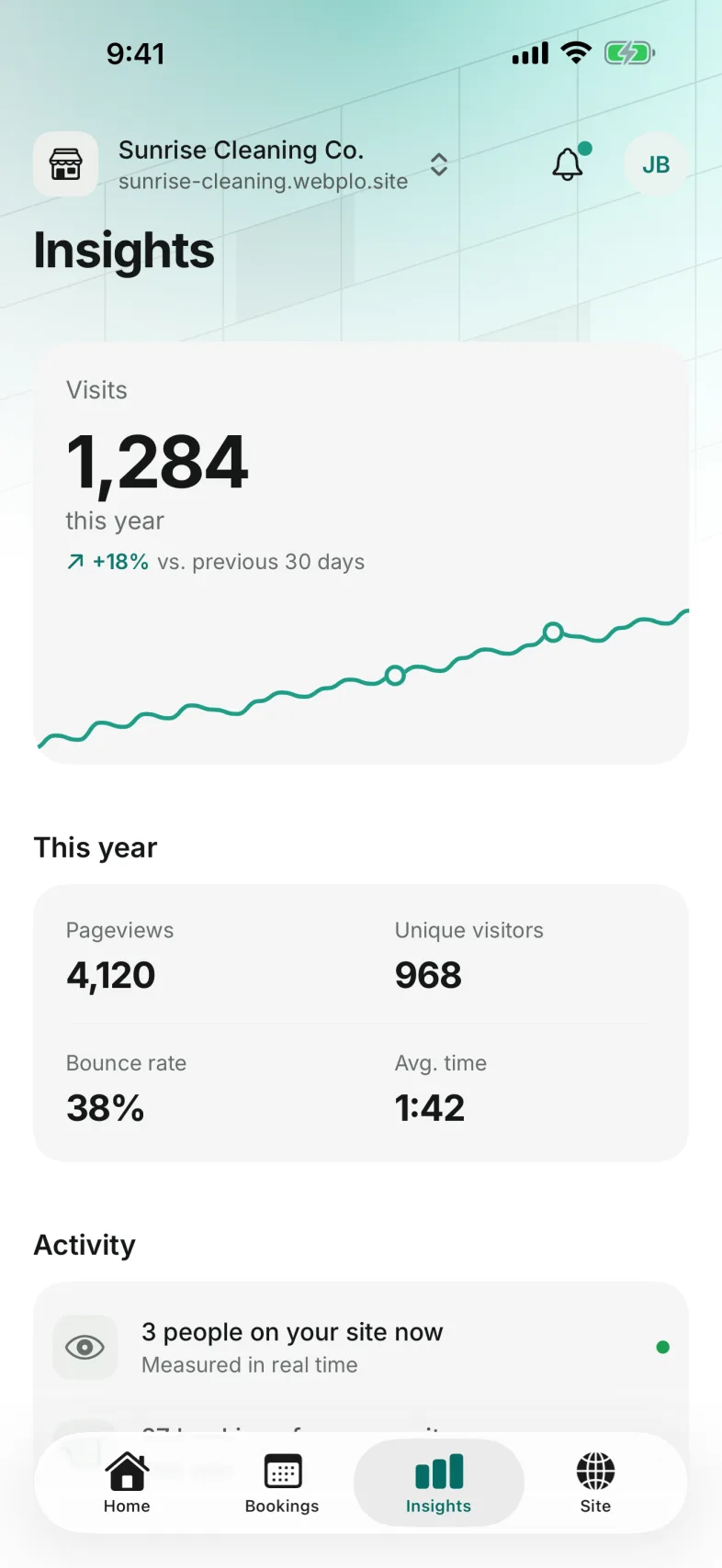
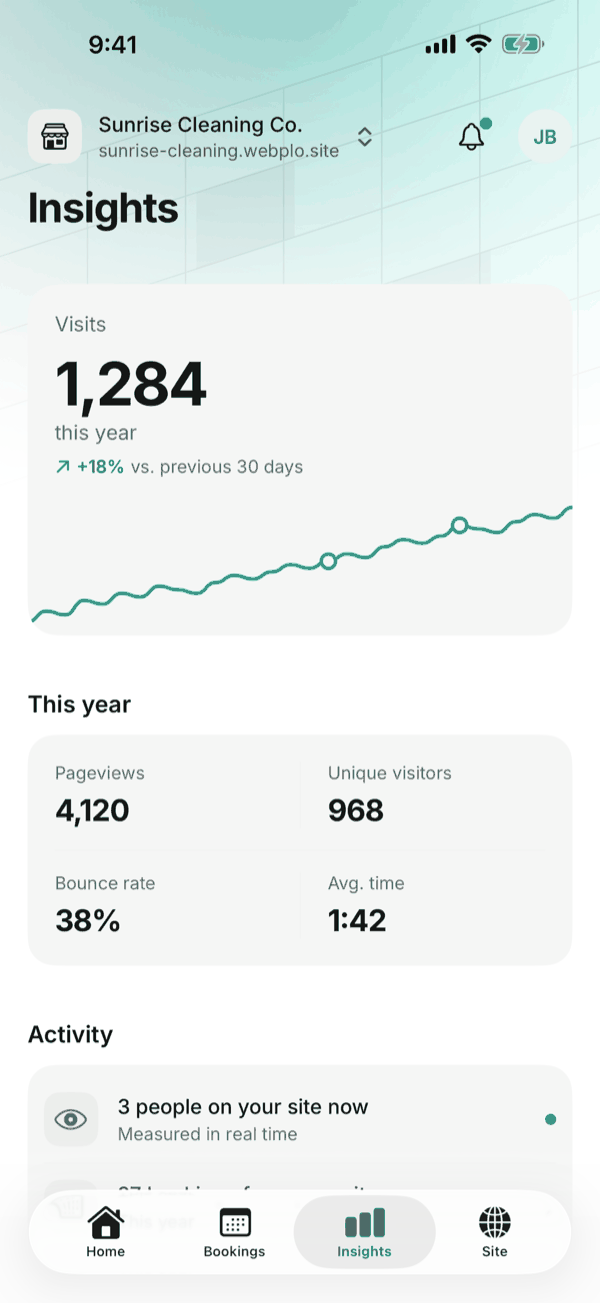
Insights. Insights tells you whether your site is doing its job. You see how many people visited this year and how that compares with the month before, how many pages they opened, how long they stayed and how many left right away. There is nothing to set up: the numbers are just there.
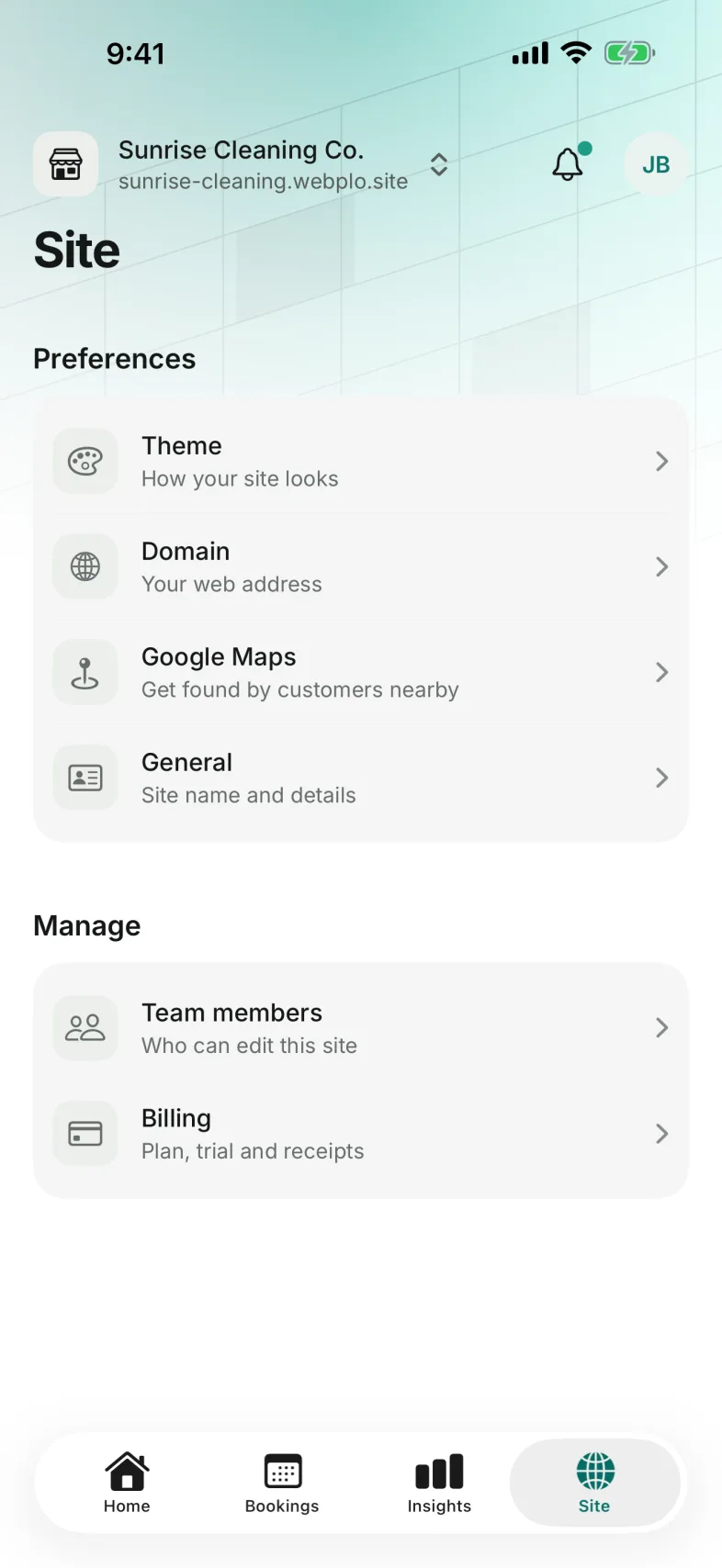
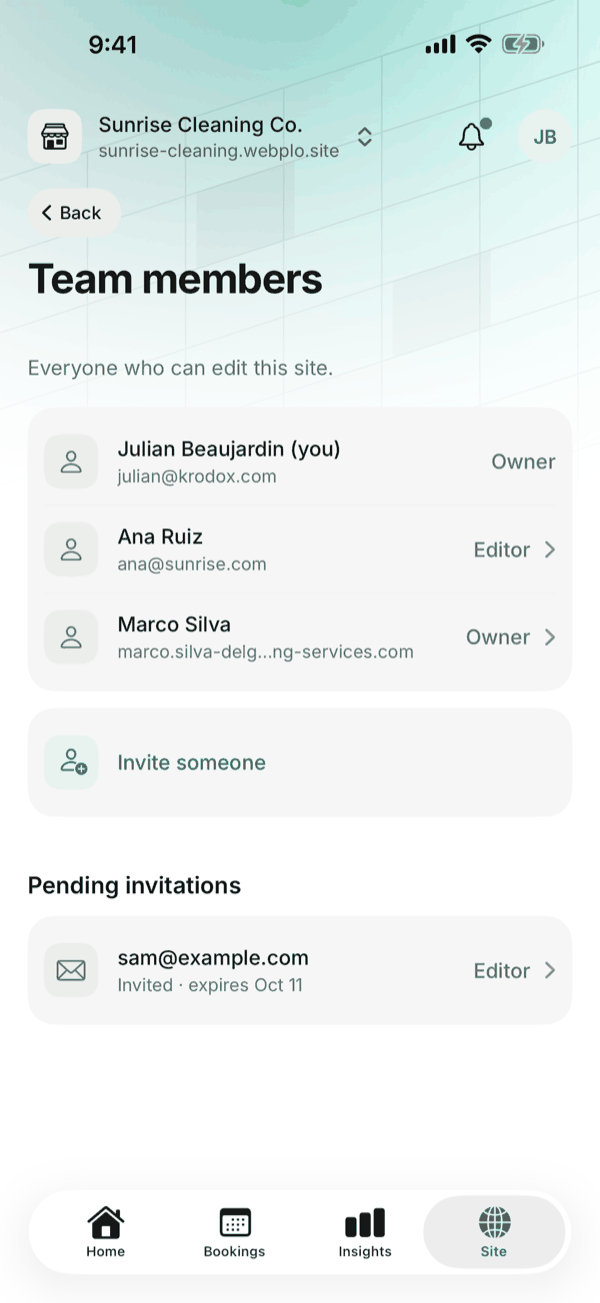
Site and team. The Site tab holds what you set once and rarely touch: the design of your site, your web address, your Google Maps listing and your plan. It is also where you bring in help. Invite a partner or an employee by email, choose their role, and remove them when they no longer need access.
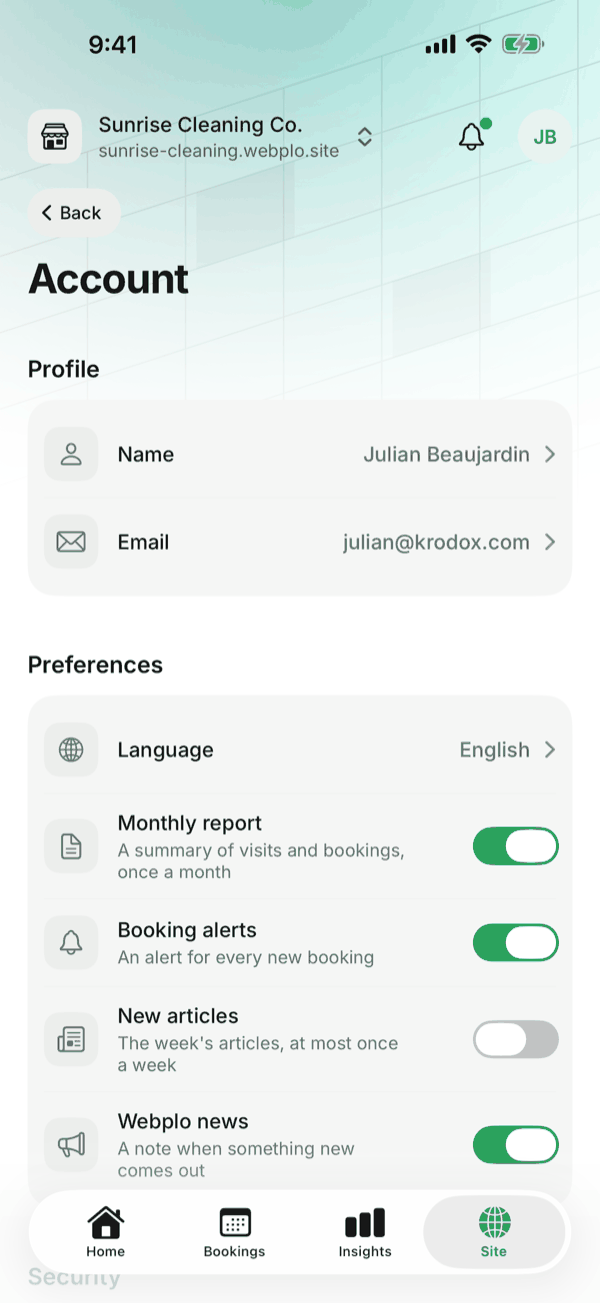
Account. Your own settings are behind your initials at the top right. Change your name or your email (the app asks for Face ID first, as it does before you change your two-factor settings), pick English or Spanish, since the app speaks both, and choose which emails you want from us: the monthly report, booking alerts, new articles and Webplo news. You can also see where you are signed in and sign out everywhere else.
It works with the site you already have. Nothing to set up. No site yet? You can make one at webplo.com.
Get our new articles by email.
At most once a week, the plain-English guides we write for owners, and a note when something new comes out at Webplo. Start with what to look for in a small business website
No spam, and you can unsubscribe from any email in one click.